GammaOS
Display

Theme

Text size

Reading font

Motion

Get GammaOS

Hybrid Android firmware for handhelds

Boots like a console.
Still Android underneath.

GammaOS replaces the software on your handheld with a console home and built-in emulators that start in seconds, and keeps a full Android system underneath for everything else. One firmware, ported to 30 handhelds from 10 makers.

The GammaOS XMB home on a two-screen handheld
30
handheld models with a release
10
hardware makers
5
console home themes
15
languages

How it works

Two systems in one firmware

A console wants to be instant and single-minded. Android wants to run everything. GammaOS runs both: Linux-native programs where speed matters, Android where breadth matters.

The console half, native

  • The console home

    GammaOS Nano is written in C++ and started at power on, before Android has finished starting. It has no Java runtime to wait for.

  • Straight to the screen

    On supported handhelds the home and the built-in emulators draw through the Linux display driver, with no Android compositor in the path.

  • System services

    Updates, network shares, controller mapping and swap run as small native programs, not as Android apps.

The Android half

  • LineageOS 21, Android 14

    The base is a standard Treble generic system image, in three editions: Core, Lite and Full.

  • Your apps

    Android apps and emulators appear in the console home and open like a game. The Full edition adds Google apps and the Play Store.

  • Full Android on request

    Hold Power and choose Boot Android to restart into the complete Android interface. Boot Nano brings you back.

Built as a generic system image

GammaOS is one family of system images that is ported from handheld to handheld, across chips from Rockchip, Unisoc, MediaTek, Allwinner and Qualcomm. Each handheld keeps its maker's own kernel and drivers, and GammaOS adds a layer of fixes on top for that model. That is how it reaches handhelds whose makers publish no source code, and why a feature built once arrives on all of them.

Measured

What the native half buys

Figures from the public changelog, measured on the handheld named.

  • from 168 s

    to 27 s

    Cold boot on the Anbernic RG DS

    The console home starts a trimmed Android that skips about 120 services it does not need.

    Changelog 1.3

  • from 15 s

    to 1.5 s

    Power on to the first Nintendo DS frame

    A game you left running is back on screen while Android is still starting underneath.

    Changelog 1.3

  • from 300 ms

    to tens of ms

    Sound delay in the built-in DS emulator

    Game audio uses an exclusive low-latency stream.

    Changelog 1.4.2

  • from 59.85 Hz

    to 60.000 Hz

    Both RG DS screens, in step

    The two panels start each frame together, so a game across both screens no longer tears at the hinge.

    Changelog 1.4.4

The console home

Five homes. Pick the one you grew up with.

GammaOS Nano is the first thing on screen. Every theme opens the same games, media and settings; each one lays them out its own way, on one screen or two.

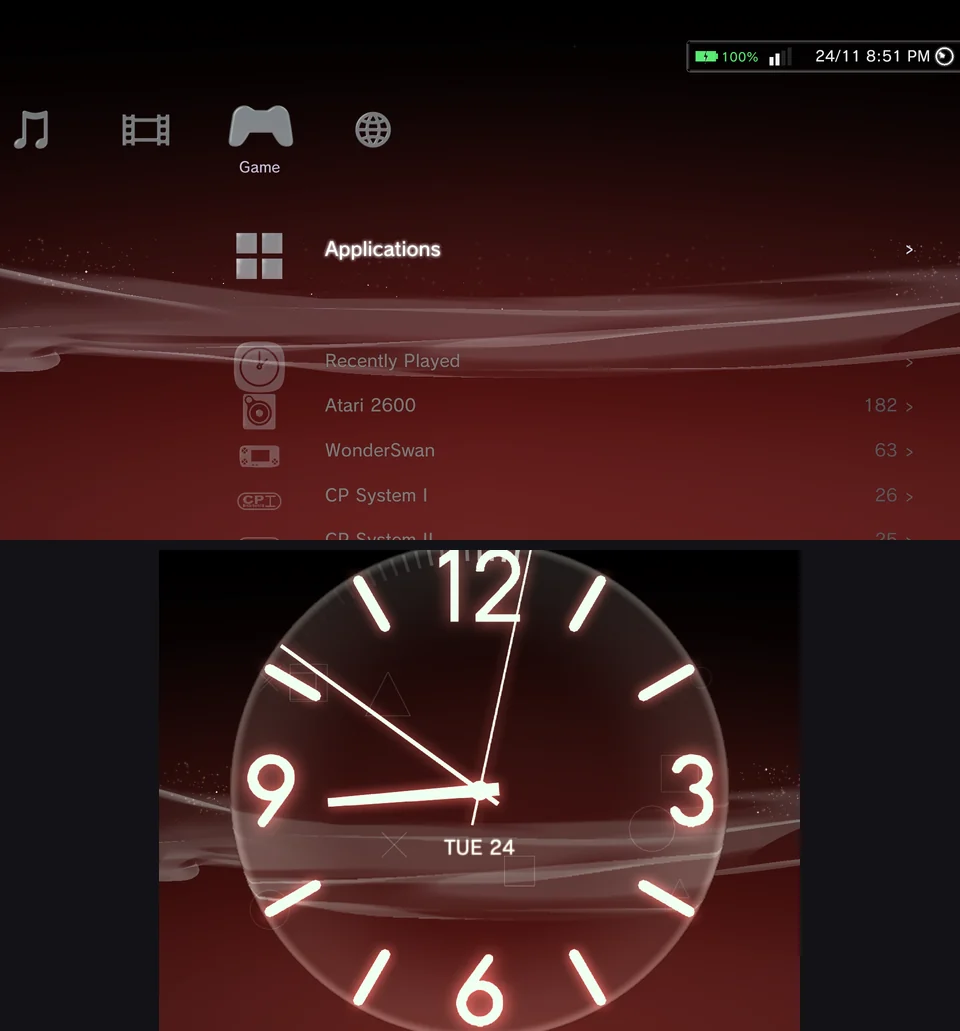
  • The GammaOS XMB home: a row of categories over a flowing red wave, with a glowing clock on the second screen

    GammaOS XMB

    Cross-media bar style

    The default. A horizontal rail of categories over a live wave that holds 60 frames per second, and a glowing clock for the second screen.

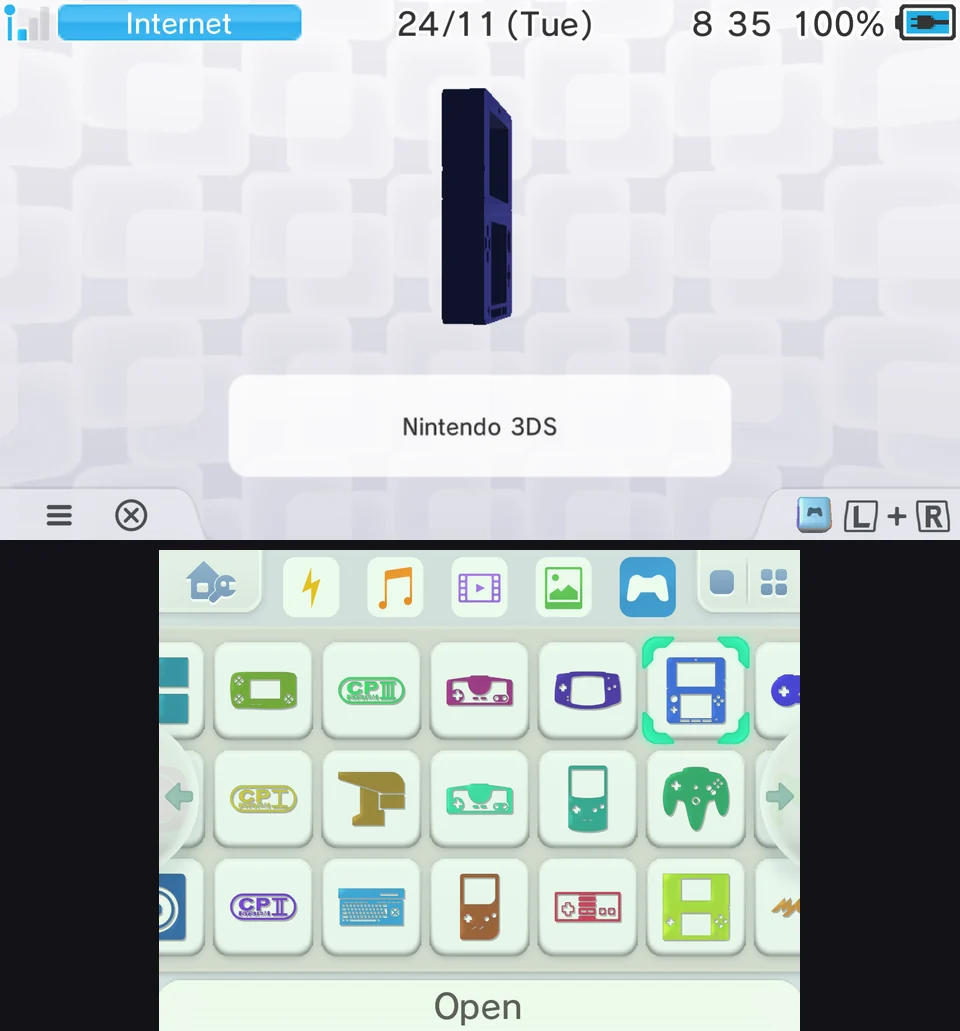
  • The 3DS Menu home: a grid of game system folders on the lower screen and a turning console model on the upper screen

    3DS Menu New in 1.5.0

    Handheld grid style

    A grid of folders, game banners on the top screen, colour themes and themes loaded from the SD card.

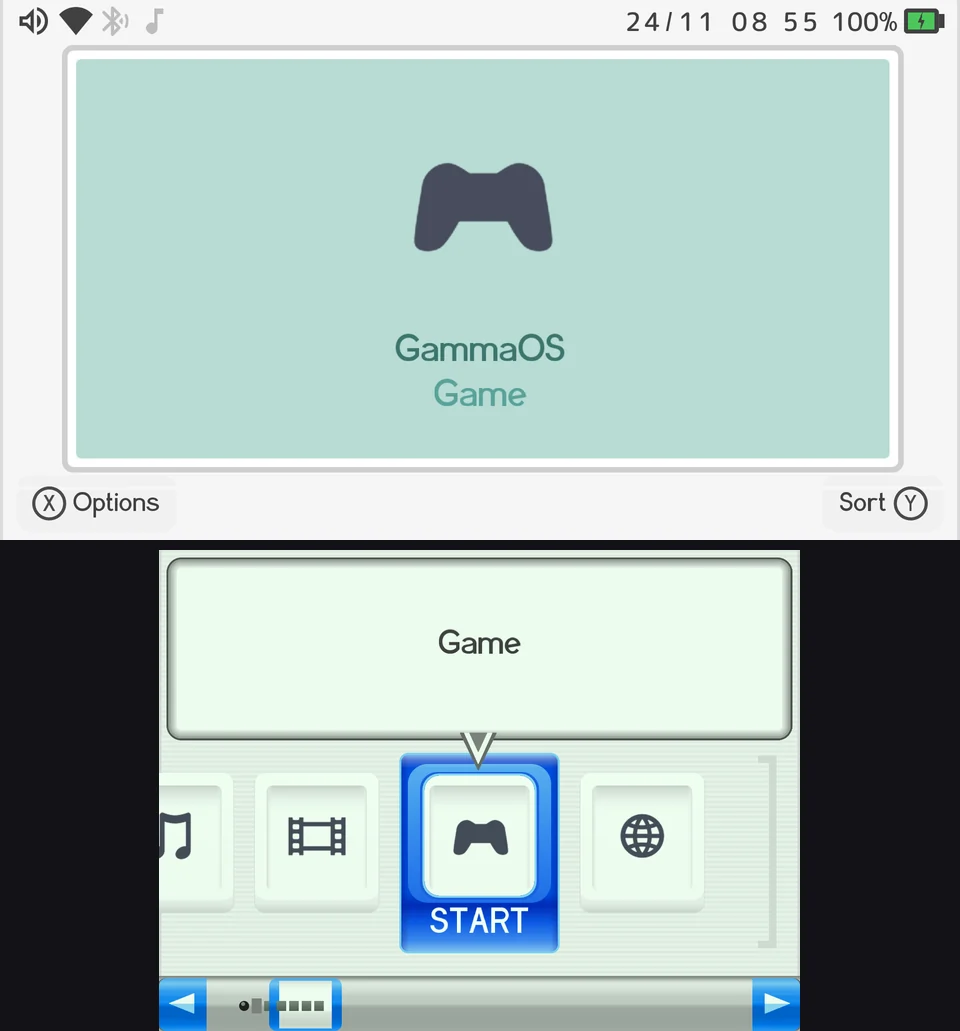
  • The DSi Menu home: a carousel of square icons on the lower screen and a large preview on the upper screen

    DSi Menu

    Carousel style

    A carousel across two screens, in light or dark with accent colours.

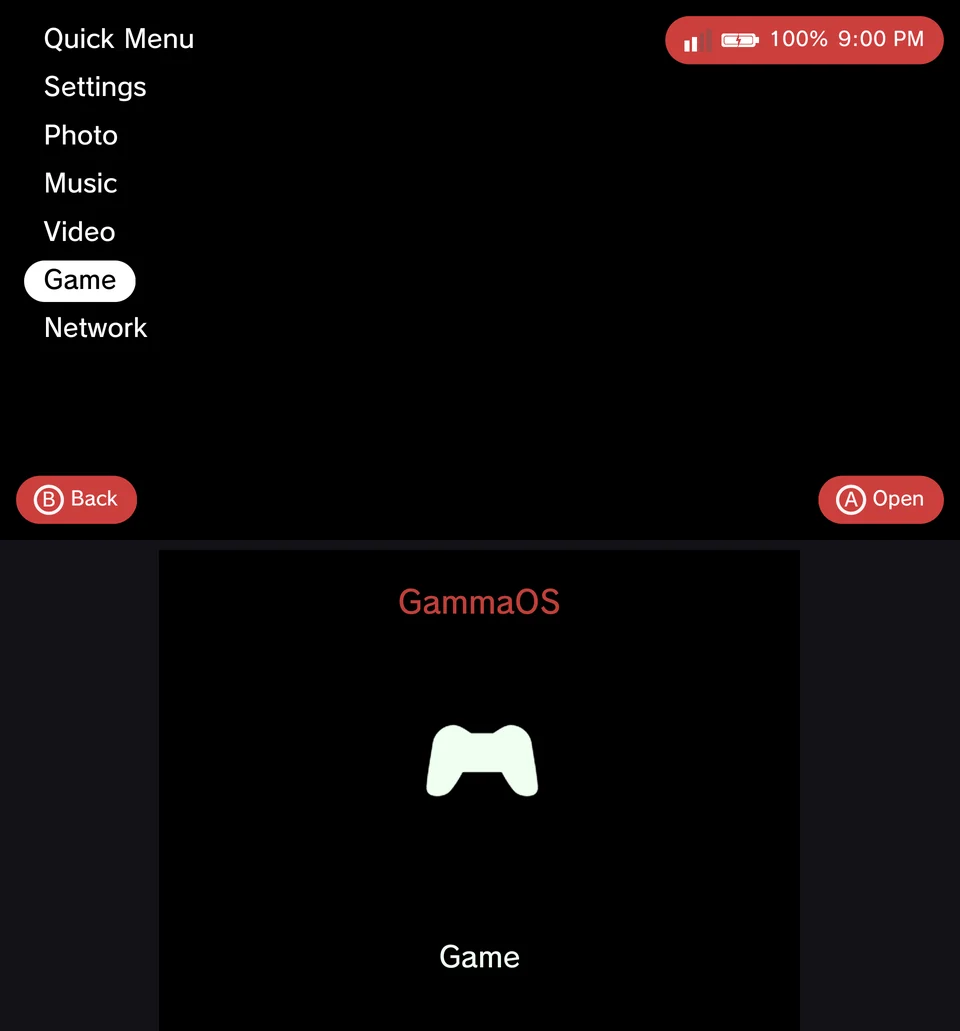
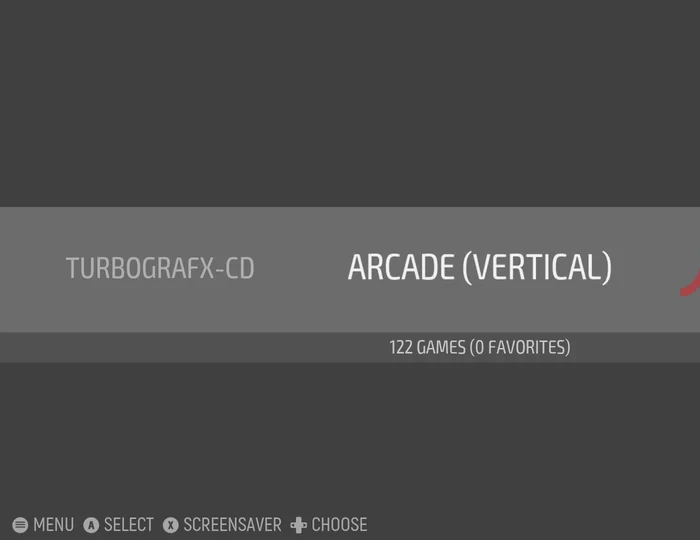
  • The Minima home: a plain text list on black with the selected category shown large on the second screen

    Minima

    Minimal list style

    Nothing but a list. The quickest way from power on to a game.

  • The Custom home drawing an ES-DE theme: a horizontal band of game system names

    Custom

    ES-DE theme sets

    Draws EmulationStation-DE theme sets, with a theme downloader built in.

Built in

Emulators that are part of the system

Four emulators are built into GammaOS and start the way the home does: natively, straight to the screen, without waiting for Android. Every other Android emulator still installs and runs as an app.

  • Nintendo DS

    DraStic Nano

    • Built on the DraStic core, started by the system itself with no Android app in between
    • Quick Resume: power off in the middle of a game and boot straight back into it
    • RetroAchievements
    • High resolution 3D drawn on the GPU, 38 LCD and CRT shaders, per-game settings
    • DS games need no BIOS files from you
  • Nintendo DS and DSi

    melonds-nano New in 1.5.0

    • A build of melonDS with its own Vulkan renderer and a direct-to-display front end
    • 3D resolution up to 8x
    • RetroAchievements
    • DS microphone and DSi mode
  • Nintendo 3DS

    azahar-nano New in 1.5.0

    • A build of Azahar that drives both screens directly
    • Resolution up to 6x
    • Installs game updates and DLC from the in-game menu
    • Per-game settings and shaders
  • Everything with a libretro core

    RetroArch Nano New in 1.5.0

    • RetroArch built for the console home, with no Android window system in the way
    • On two-screen handhelds the second screen becomes a touch control centre
    • Quick Resume across reboots
    • The same hotkeys on every device

GammaOS builds on the work of the DraStic, melonDS, Azahar and RetroArch projects. Their names belong to their authors.

Everything else

Made for playing, down to the details

  • Quick Resume

    Power off mid-game. Next time you power on, you are back in that game, not at a menu.

  • Quick Menu and in-game overlay

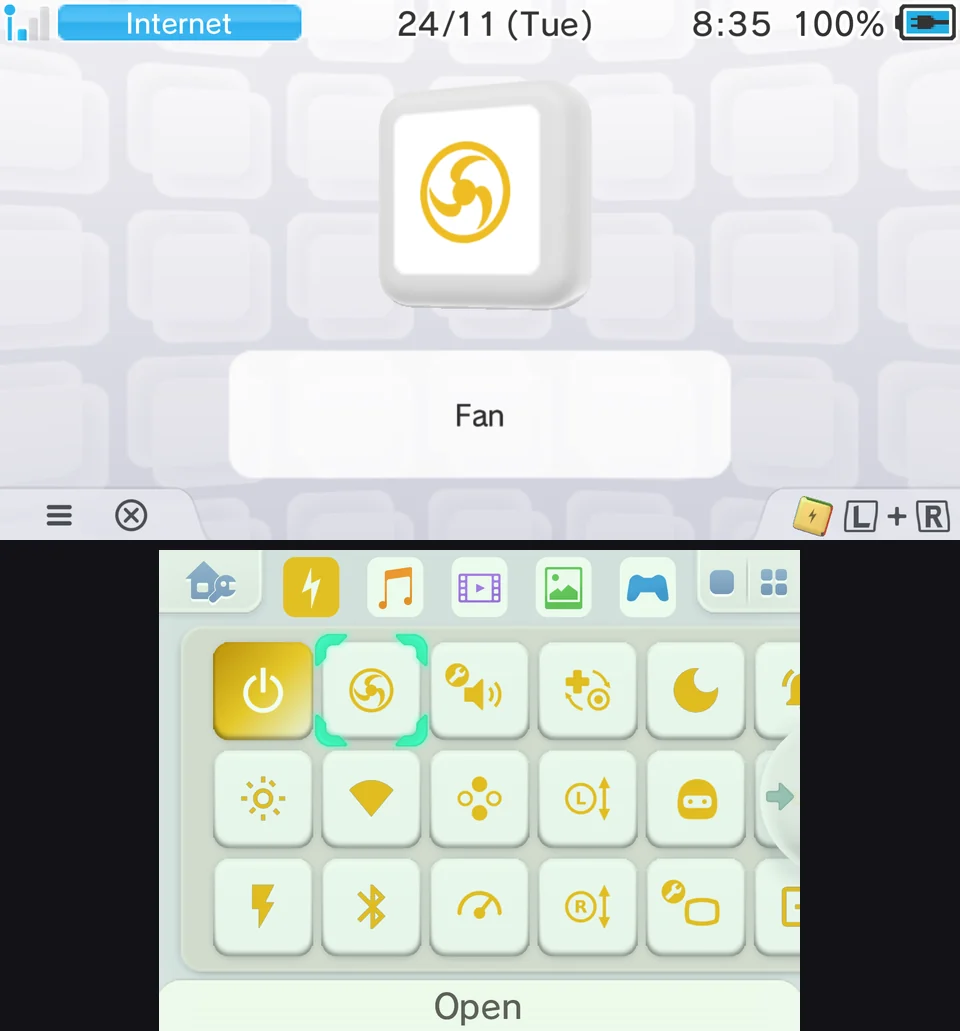
    Hold Power anywhere for brightness, volume, performance mode, Wi-Fi and Bluetooth, without leaving the game.

  • Box art and a real library

    Scrapes covers from ScreenScraper and TheGamesDB. Favourites, collections, hidden games, multi-disc grouping and search across every system.

  • Any system you can name

    A picker of 118 platforms with their emulators. Add your own system, point it at a folder and choose what opens it.

  • Music, video, photos, radio

    Built-in players for your files, plus internet radio, IPTV and a web browser you drive with the controller.

  • Network shares

    Mount SMB, NFS, WebDAV and FTP storage as if it were a local drive. Syncthing is built in for saves.

  • Controls that fit

    Remap any button, calibrate sticks and triggers, set dead zones, and map the gamepad to touch for games that have no controller support.

  • Screen Calibration

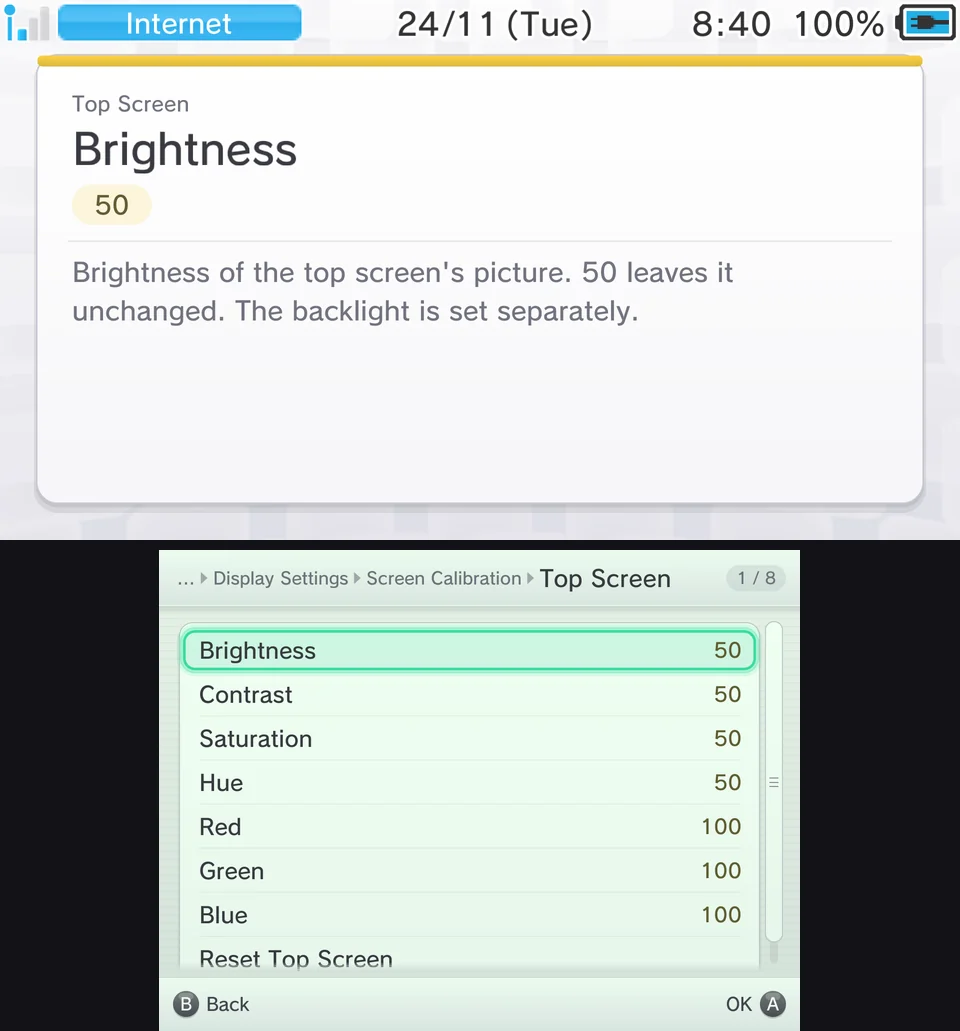
    Brightness, contrast, saturation, hue and colour balance for each screen, set against built-in test patterns.

  • Shaders on everything

    System-wide CRT and LCD shaders on supported devices, and you can load your own presets, RetroArch's library included.

  • GammaEQ

    A ten-band equaliser and speaker enhancements built into the system audio path on supported devices.

  • Updates that fail safe

    Updates install on the device, with no PC. Every partition is read back and checked, and the boot partitions are restored if a write fails.

  • For every reader

    15 languages including right-to-left Arabic, larger text, reading fonts for low vision and dyslexia, and reduced motion.

The Quick Menu as a grid of icons with Fan selected
Quick Menu
Screen Calibration for the top screen: brightness, contrast, saturation, hue and colour balance
Screen Calibration
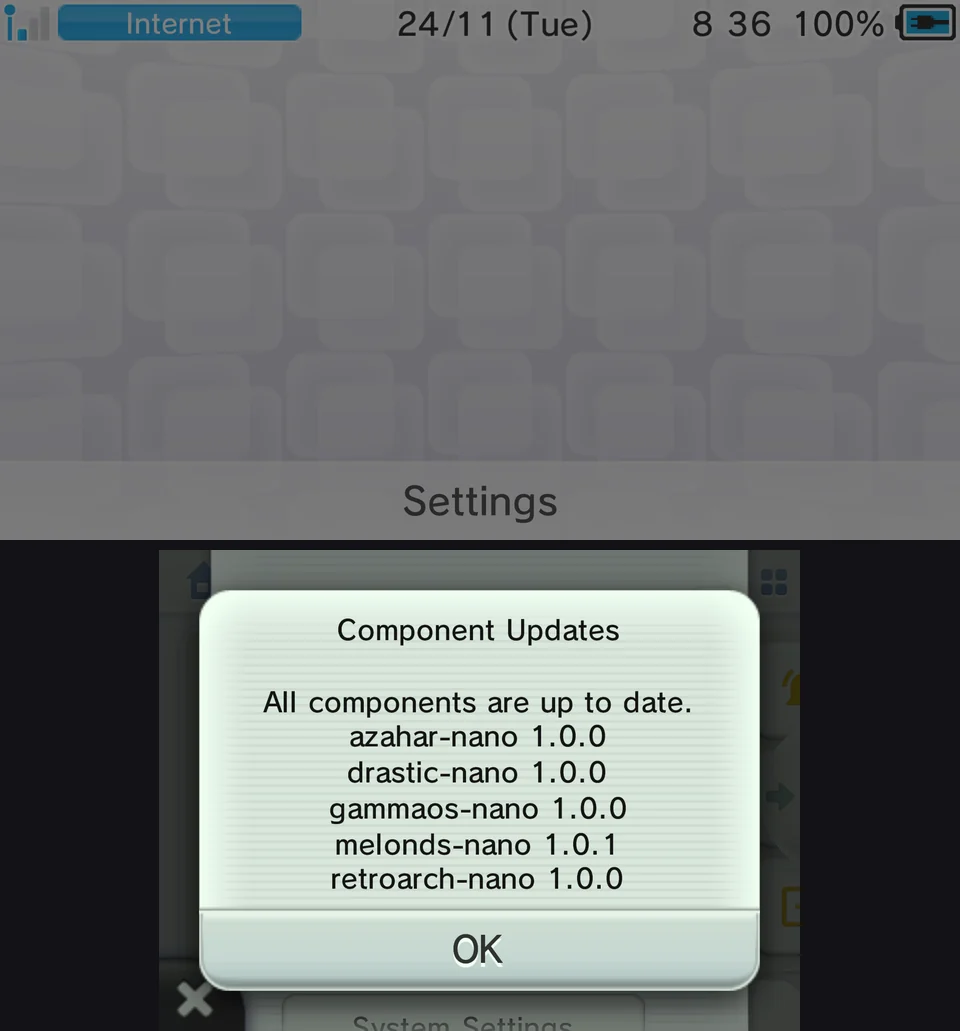
Component Updates listing the installed version of the home and each emulator
Updates for each part New in 1.5.0

Editions

Core, Lite or Full

Three editions of the same firmware. The console home runs on all of them; they differ in how much Android sits underneath. Not every edition is offered for every handheld.

EditionWhat it isBest forPlay StoreGood to know
CoreLightest. Built on Android TV.Low-memory devices and devices with no touch screenNoRecommended wherever it is offered
LiteStandard Android without Google apps.Most handheldsNo (Aurora Store is included)Sideload apps freely
FullStandard Android with Google apps.Faster handheldsYes, in Android modeHeavier: slower to boot on weak hardware

Supported handhelds

30 handhelds, 10 makers

The latest release for each model. Console home marks releases that boot into GammaOS Nano; earlier releases boot into Android with the GammaOS additions. Runs from SD card means the stock firmware inside is left untouched.

Anbernic

  • RG DS1.4.4Console home
  • RG DS Plus1.4.4Console homeRuns from SD card
  • RG Rotate1.4.1Console home
  • RG Vita1.3.2Console home
  • RG Vita Pro1.3.2Console home
  • RG5571.2.1
  • RG477M1.2.1
  • RG477V1.2.1
  • RG5561.2
  • RG Cube1.2
  • RG406H1.2
  • RG406V1.2
  • RG476H1.2
  • RG Slide1.2
  • RG405M1.1
  • RG405V1.1
  • RG5051.1

TrimUI

  • Brick1.4.1Console homeRuns from SD card

MagicX

  • Zero 401.4.1Console homeRuns from SD card
  • Mini Zero 281.4.1Console homeRuns from SD card
  • XU Retro X201.4.1Console homeRuns from SD card

GKD

  • 350H Ultra1.4.1Console homeRuns from SD card

AYANEO

  • Pocket Air Mini1.3.2Console home
  • Pocket Micro1.0

Retroid

  • Pocket 4 Pro1.0
  • Pocket Classic1.0

Mangmi

  • Air X1.2

GameMT

  • E6 Max1.1

KT Pocket

  • KT-R11.0

ZPG

  • Unicorn A11.0

Installation guide for each model

Sister project

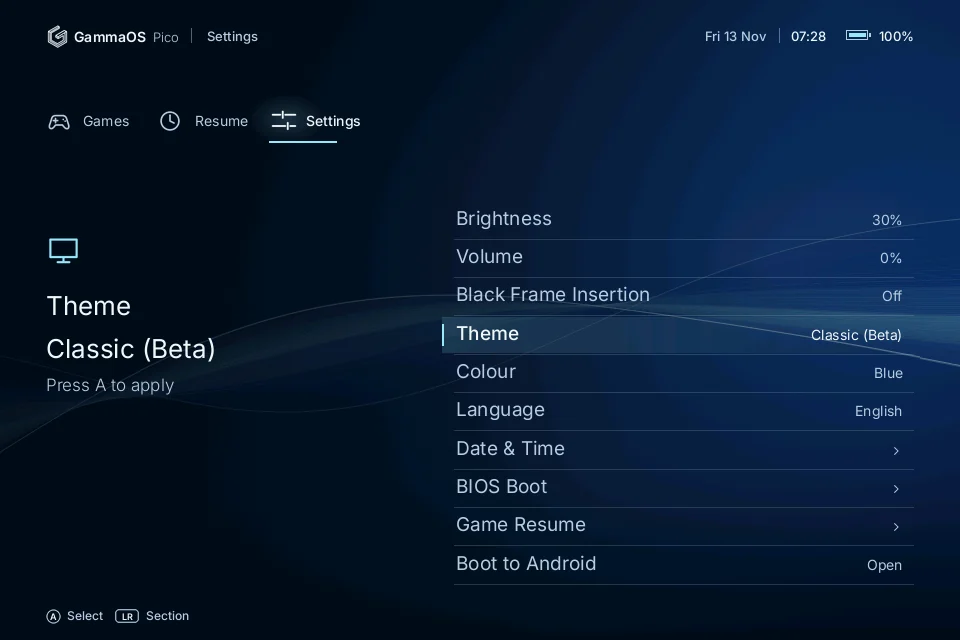
GammaOS Pico

No Android and no Linux at all. GammaOS Pico replaces the bootloader of the Konkr Pocket Advance and Pocket Block with a tiny system that goes from power on to the Game Boy Advance logo in about two and a half seconds. It plays Game Boy, Game Boy Color, Game Boy Advance, SNES, Mega Drive, Master System, Game Gear and SG-1000 games from the microSD card, with menus in 17 languages. Experimental and provided as it is.

GammaOS Pico on GitHub

The GammaOS Pico settings screen: theme, colour, language and boot options

Get GammaOS

Free for everyone. Early for supporters.

GammaOS is made by one developer. New major versions go to supporting members first and are published for everyone 60 days later. Minor updates are free through the built-in updater.

Installing firmware is at your own risk. It can erase data and may affect the maker's warranty. Read the wiki for your exact model first.

Questions

Before you install

What is GammaOS?

GammaOS is custom firmware for handheld game consoles. It is Android (LineageOS 21, Android 14) built as a generic system image, with a console home called GammaOS Nano and built-in emulators that run natively beside it. It replaces the system software on your handheld and keeps the maker's own kernel and drivers, which is how one firmware can reach handhelds from many makers.

Is it Android or is it Linux?

Both, which is the point. The console home, the built-in emulators and the services for updates, network shares and controllers are native Linux programs started at power on. Underneath runs a trimmed Android that provides apps, audio, Wi-Fi, Bluetooth and storage. You can also restart into the full Android interface whenever you want it.

Which devices are supported?

30 handheld models from 10 makers have a release, listed on this page with the latest version for each. Newer handhelds get the console home; some older ones are on earlier releases and boot into Android with the GammaOS additions. If your device is not on the list, it is not supported.

Is GammaOS free?

Yes. Releases are published on GitHub for everyone. New major versions go first to members who support the project on Patreon or Ko-fi, and become public 60 days later. Minor updates to a version you already run are free through the built-in updater.

Can I still use Android apps and the Play Store?

Yes. Installed Android apps appear in the console home under Applications and open like a game. The Lite edition includes the Aurora Store and lets you install apps from files. The Full edition adds Google apps and the Play Store, which run in Android mode.

How do I switch between the console home and Android?

Hold Power and choose Boot Android. The handheld restarts into the full Android interface. To go back, hold Power and choose Boot Nano. Your games, saves and settings stay where they are.

What is the difference between Core, Lite and Full?

They are three editions of the same firmware. Core is the lightest, built on Android TV, and is the one to pick for handhelds with little memory. Lite is standard Android without Google apps. Full is Lite plus Google apps and the Play Store, and is the heaviest. Not every edition is offered for every device.

Is it hard to install? Do I need a computer?

You need a computer for the first install, and the steps depend on the chip in your handheld: some write an SD card, others use the chip maker's flashing tool, and some of those tools run only on Windows. It is not a one-click install. Follow the guide for your exact model. After that, updates install on the device itself.

Will it erase my device? Can I go back to the stock firmware?

On the handhelds marked "runs from SD card" GammaOS lives entirely on the microSD card and the stock firmware inside is not touched: take the card out and the handheld is as it was. On other handhelds the install replaces the system software and erases your data, so back up first. The installation guide for each model says how to return to stock.

Are games or BIOS files included?

No commercial games and no BIOS files are included. Some builds include a few freely distributable demo games. You supply your own game files, and BIOS files for the systems that need them. Nintendo DS games in the built-in emulators need none.

How do updates work?

From version 1.3 on, updates download and install on the handheld from Settings, with no computer. Every partition an update writes is read back and checked, and the boot partitions are saved first and put back if anything fails. A few SD card based handhelds are updated by writing a new card instead.

Is it open source?

The Android system source of each public release is on GitHub, and GammaOS builds on open projects including LineageOS, melonDS, Azahar and RetroArch. Some parts are not open: DraStic Nano uses the closed DraStic emulator core, and each device keeps its maker's own drivers.

Is GammaOS rooted?

Yes, it comes with Magisk. Apps that check for root, such as some banking apps and games with anti-cheat, may refuse to run.

What is GammaOS Pico?

A separate, experimental project for the Konkr Pocket Advance and Pocket Block. It is not Android at all: it replaces the bootloader with a tiny system that goes from power on to a Game Boy Advance game in a few seconds.

Where do I get help?

The guide covers installing, controls, themes, emulators and every setting. For questions and bug reports there is a community Discord server. GammaOS is a one-developer project provided as it is, without warranty or guaranteed support.